Getting started
Install
Arkidome needs macOS 14 Sonoma or newer. Download it, unzip it and move Arkidome to your Applications folder. The app is not notarized by Apple yet, so the first time you open it macOS asks you to confirm under System Settings > Privacy & Security > Open Anyway. Later updates install from inside the app (see License and updates).
The welcome window
On the first launch a welcome window says what the app does, that your files are only read, and that the first launch prepares the listening models, which takes a minute or two.
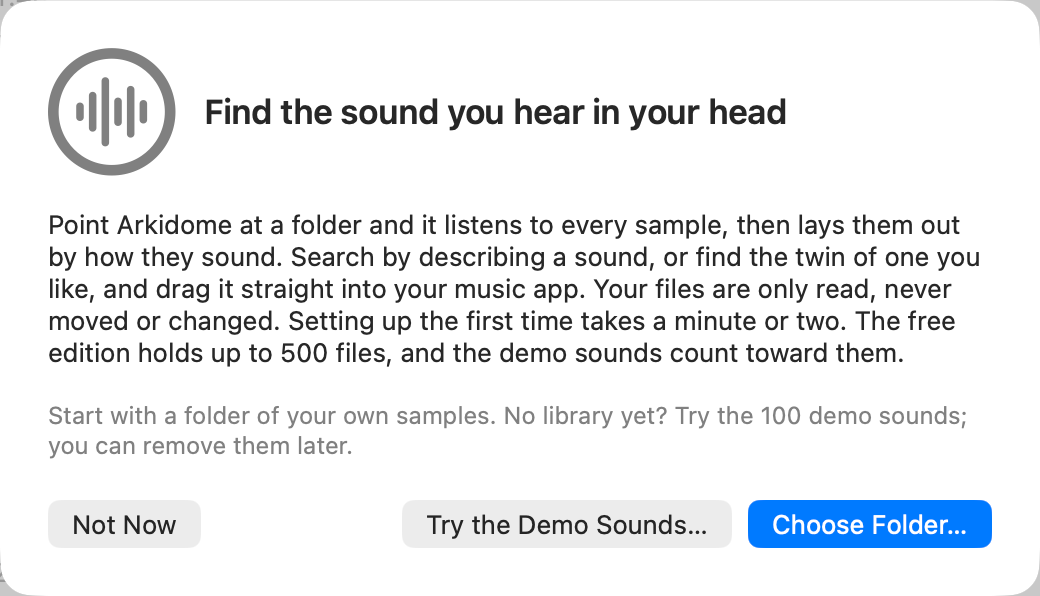
- Choose Folder… adds a folder of your own samples. Start here: it is the quickest way to hear what the app does with your library.
- Try the Demo Sounds… asks where to put 100 short demo sounds (it suggests
~/Music/Arkidome/Demo), downloads them once you have chosen (about 11 MB; it needs a connection, and Choose Folder… works without one), copies them there and adds~/Music/Arkidometo the library, so whatever you later put beside the demo is found too. - Not Now closes it. It does not come back on its own: File > Add Demo Sounds… brings the demo back, and Help > Welcome to Arkidome shows the window again.
Once the demo is in, an empty drum machine and melody get a starter project made from it (a House groove and a few bars of chords and bass), and three hints point to the map, to dragging a sound into your music app and to searching by description. Skip Tour or Done closes them for good.
To remove the demo, delete its folder in Finder: the library drops its sounds the next time it looks. Arkidome never deletes files itself.
While it listens
The status bar says what is happening: "Compiling models, one time only", then "Listening to samples (12/40)". Results are kept, so the next launch opens at once and only new or changed files are listened to. Folders are watched, so files you add appear by themselves; right-click a folder in the sidebar and choose Rescan to check it now. Moved or renamed files keep their cues, tags and their history of use, even when identical copies swap names. An external folder is found again when its drive is plugged back in under a different name, and a folder you move in Finder is found again with File > Locate Moved Folder…: its sounds keep their tags, favorites, collections, cues and analysis, and Arkidome never moves or changes your files.
The window
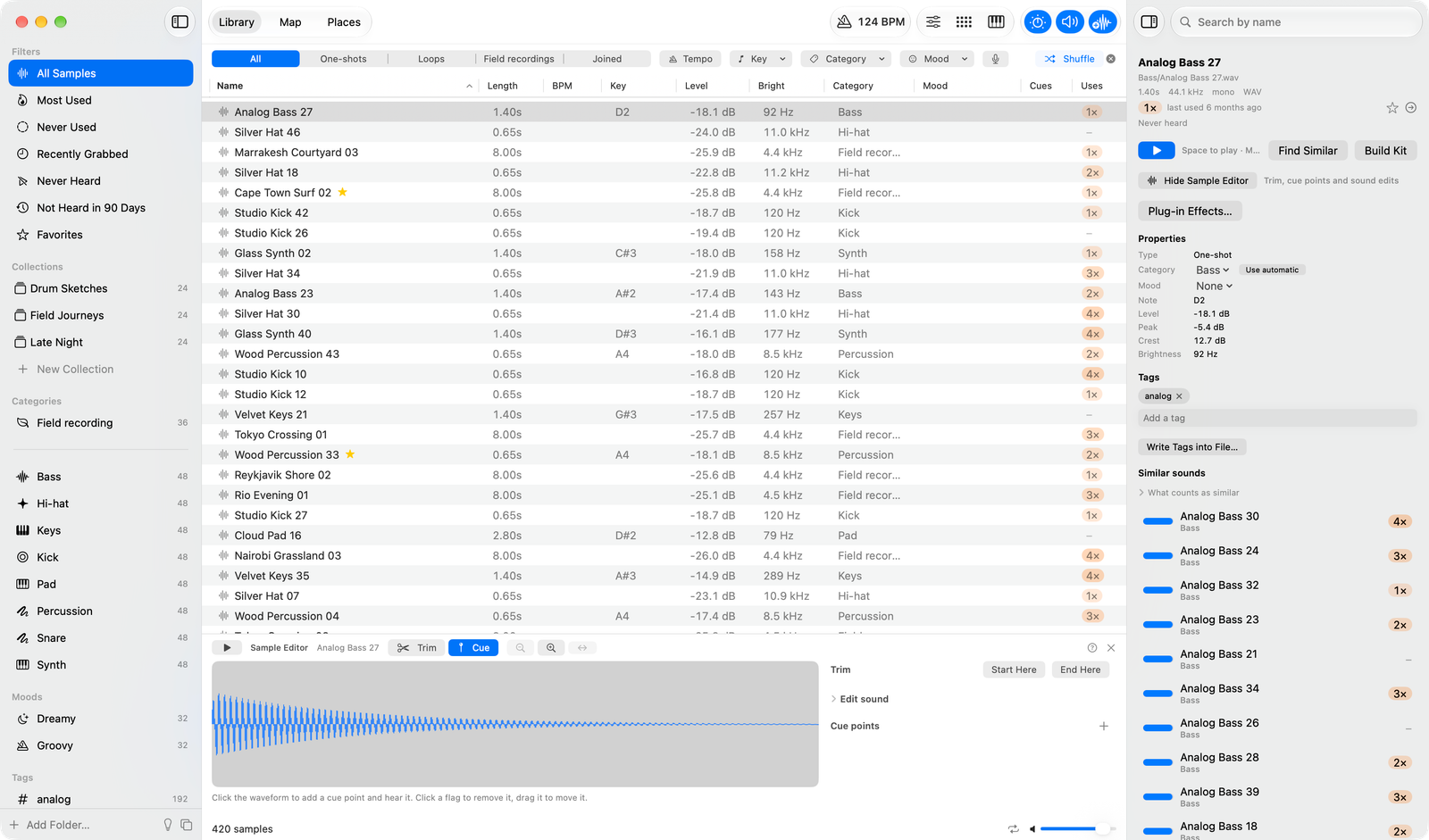
- The sidebar holds your filters, collections, categories, moods, tags, folders and, when one is plugged in, a hardware device's drive.
- The middle shows Library (a list), Map (every sound as a dot) or Places (recordings on a world map); ⌘1, ⌘2 and ⌘3 switch between them.
- The inspector on the right shows the selected sound: its name, how often you used it, its properties and tags, and the sounds closest to it. Its Open Sample Editor button opens the drawer under the list, where you trim the sound, add cue points and edit it (see Shaping a sound).
- The toolbar has the project tempo and key, the effects, the drum machine, the melody and the sample editor.
The free edition
Arkidome is free with one limit: the library holds up to 500 files, samples and field recordings together, demo sounds included. Every feature is the same. See License and updates.