Field recordings and places
Long recordings
Files of 30 seconds or more are treated as field recordings, and so is any file you put in the Field recording category yourself. A recording is listened to in segments, cut at silences, so the map, Find Similar and searching by words or by humming find the right moment in it: the list shows an at 2:05 tag, and selecting the result starts playing there.
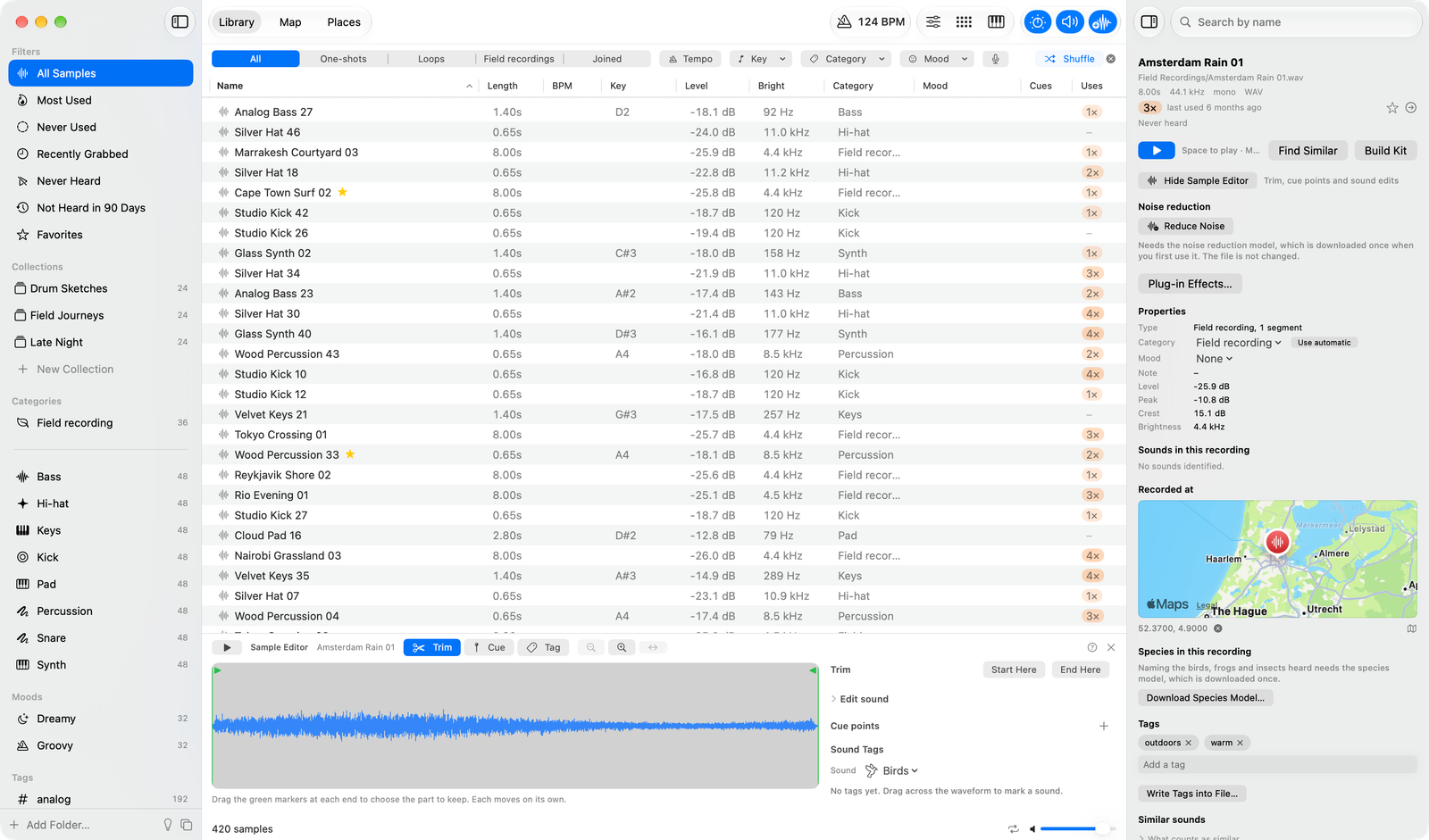
A recording's properties show its segments and Sounds in this recording: birds, water, speech and so on, with the total time of each and timestamps that start playback there. Four fit a row; +N opens the rest and Show Fewer folds them, and right-clicking a timestamp hides just that one with undo. The sample editor's timeline puts every detected sound, species and your own tag above the waveform: click one to hear it, right-click or press Delete to dismiss it, and pinch or use the zoom buttons to look closer. In the sample editor's Tag tool, drag across the waveform to mark a sound the model missed. Click a sound's name to filter the list by it. The sidebar counts a recording under every sound heard in it, so Birds lists bird samples and recordings with birds. Tempo, key and pitch are not measured for recordings.
If a sample was mistaken for a recording, choose Treat as Regular Sample from its right-click menu.
Reduce noise
Reduce Noise in a recording's right-click menu, the Sample menu or the Noise reduction section of its inspector takes out background noise with a small neural network that runs on your Mac. It is a sound edit like speed or gain: the file is never changed, one undo step turns it on or off, and Amount mixes the cleaned sound with the original. Reduced and Original compare them.
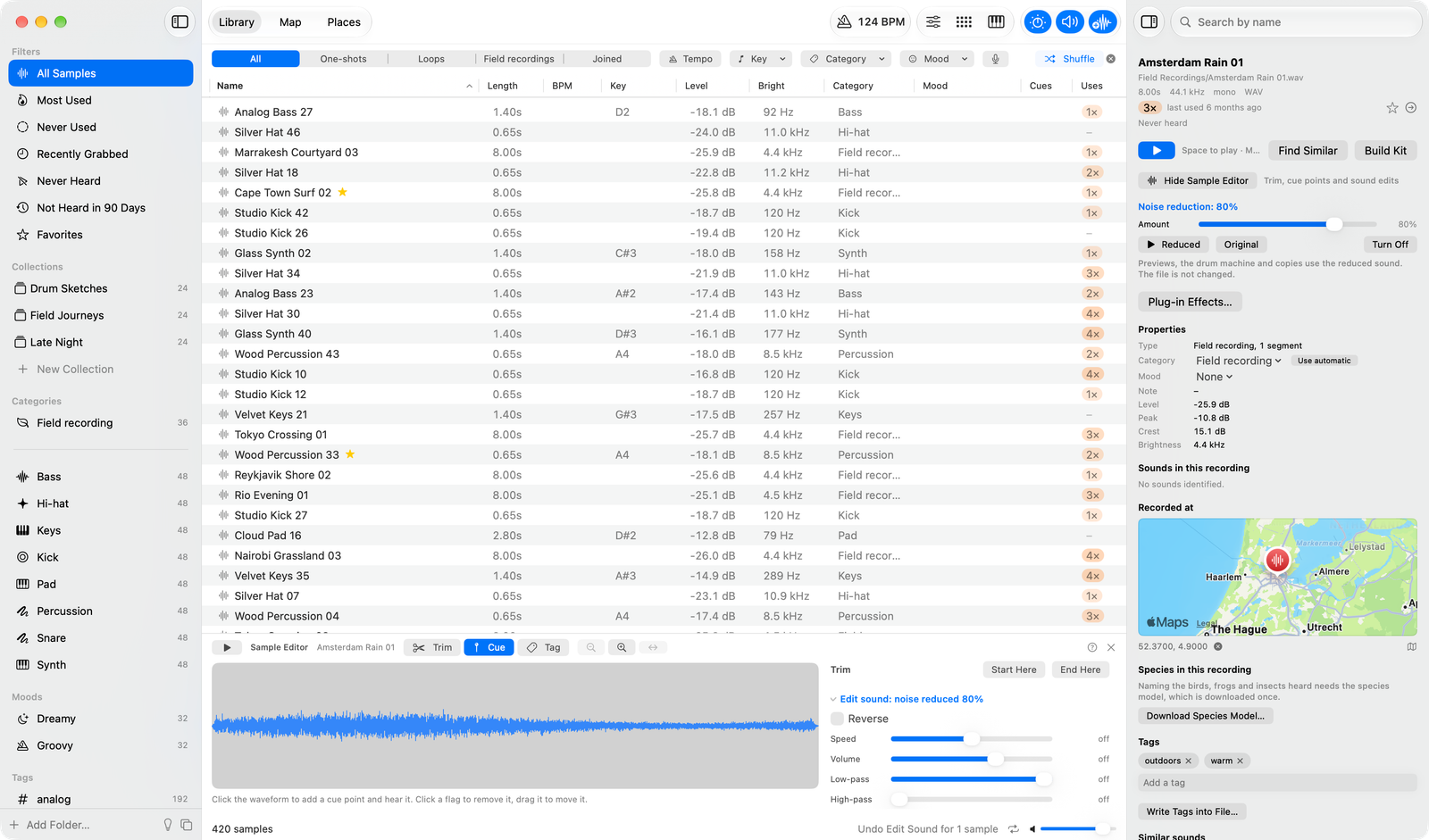
The first time takes a while, about a minute for an hour of audio on a recent Mac, with progress and Stop in the inspector. The network is made for speech, so birds, water and wind can count as noise: turn the amount down to keep some, and listen before relying on it.
Places
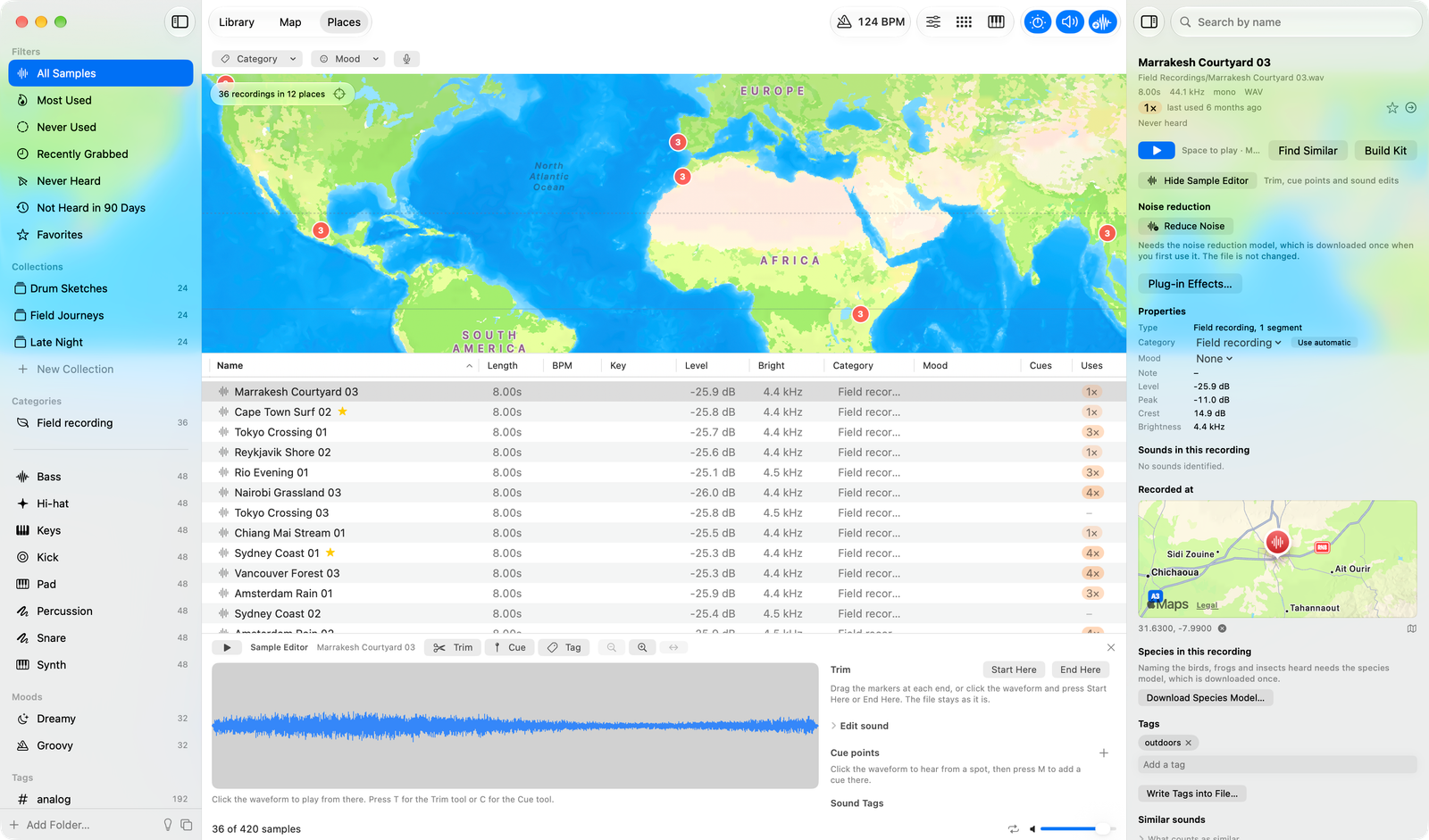
Recordings that carry a location, as phones and many field recorders write, are placed when they are read. The Places tab (⌘3) shows a world map with a pin for each place; nearby recordings share a pin with their number on it. A pin narrows the list to its recordings, and Show All goes back. The tab is about field recordings, so it shows them whatever the Library's type filter is and offers only the Category and Mood filters; when the filters hide every recording it says so and offers Clear Filters. In a recording's properties, Recorded at shows its place; click the coordinates to choose another place, or the map to open it in Maps. A place you set yourself is never overwritten by the file's.
Which species was that?
After a recording is read, Arkidome listens to it 3 seconds at a time for the 11,560 species its model knows: mostly birds, but also insects, frogs, mammals and a few others. Species in this recording in the properties lists each species heard with at least 80% confidence, with its timestamps (click one to play from there) and how sure the model was at its clearest moment. Four timestamps fit a row; +N shows the rest, and right-clicking one dismisses just that timestamp with undo. Each species has an icon for its kind (bird, insect, frog or toad, mammal, bat and so on), and when a recording has more than one kind a menu beside the title shows just one.
Tell the app where a recording was made, under Recorded at in its properties or as a default in Settings > Species, and species that don't live there are left out. Changing the place listens to the recording again.
The model is a developer preview: each name is the model's guess, with how sure it was, not a verified identification. Listen before you rely on it.
Powered by BirdNET: BirdNET+ V3.0 (CC BY-SA 4.0) names the species, and the BirdNET Geomodel (Apache-2.0) knows where they live. Both run on your Mac, and their notices and terms are in the acknowledgements. Arkidome is not made by or affiliated with the BirdNET team.